Passer au contenu principal
Solutions Moen

Réinitialiser la soupape de la douche intelligente U By Moen

 Cet article contient des renseignements détaillés sur la Douche intelligente, également connue sous le nom de Douche U by Moen.

Procédure de réinitialisation de la soupape pour douche intelligente
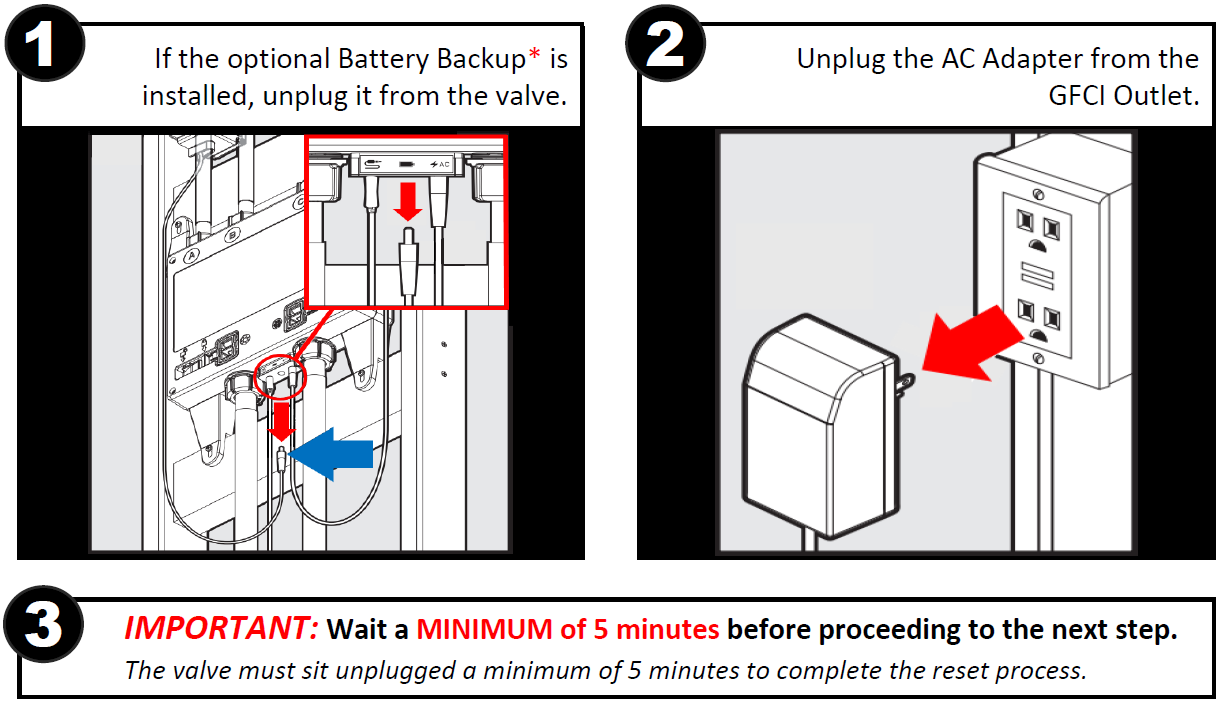
  1. If the optional Battery Backup* is installed, unplug it from the valve.

    Shower Valve Reset_Unplug Battery Backup_Image.png
     
  2. Unplug the AC Adapter from the GFCI Outlet.

    Shower Valve Reset_Unplug AC Adapter_Image.png
     
  3. IMPORTANT: Wait a MINIMUM of 5 minutes before proceeding to the next step.
    The valve must sit unplugged a minimum of 5 minutes to complete the reset process.
     
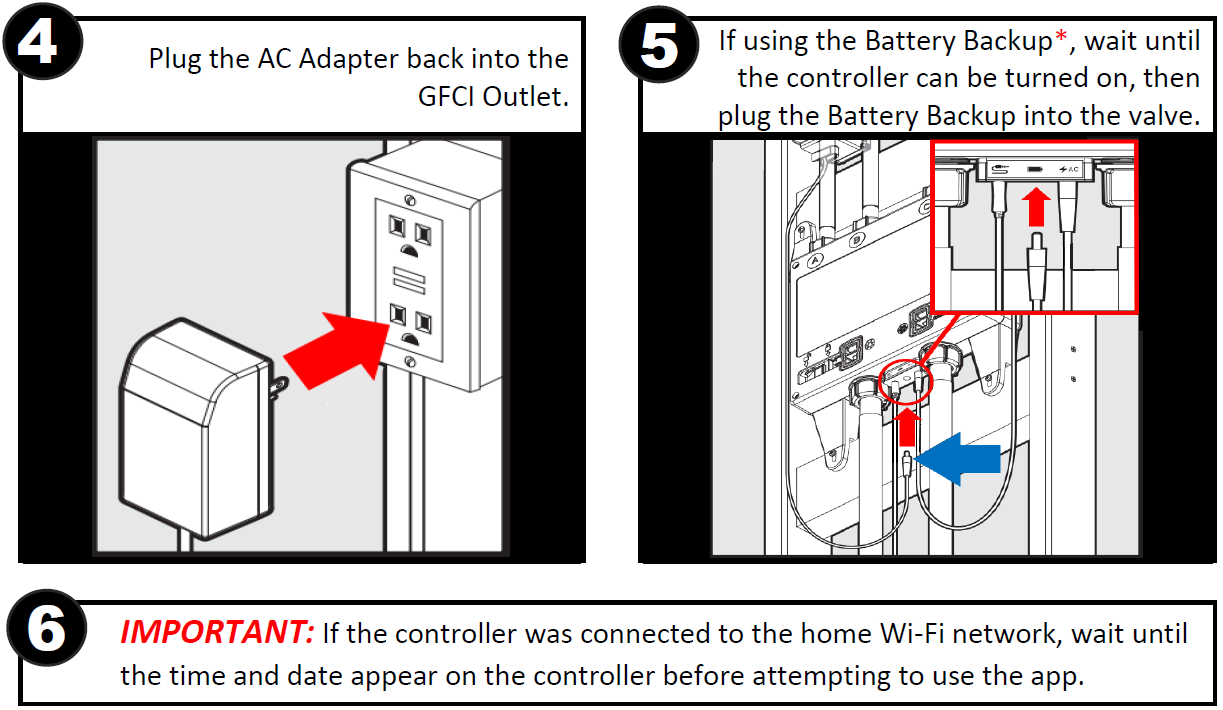
  4.  Plug the AC Adapter back into the GFCI Outlet.

    Shower Valve Reset_Plug in AC Adapter_Image.png
     
  5. If using the optional Battery Backup*, wait until the controller can be turned on, then plug the Battery Backup into the valve.

    Shower Valve Reset_Plug in Battery Backup_Image.png
     
  6. IMPORTANT: If the controller was connected to the home Wi-Fi network, wait until the time and date appear on the controller before attempting to use the app.


Pour obtenir du soutien technique supplémentaire, veuillez composer le 1 800 289-6636
Pour obtenir plus d’informations concernant la garantie de la douche intelligente, rendez-vous sur https://www.moen.com/warranties/smart-shower-warranty
* Pile de secours vendue séparément. Offerte dans la trousse de service Moen 179573.

  • Cet article vous a-t-il été utile?